
Download LiteSpeed Web Server – High‑Performance Apache‑Compatible Server
Overview
LiteSpeed Web Server is a solid, robust solution that positions itself as an Apache‑compatible drop‑in replacement for sites plagued by performance bottlenecks. While the web‑server market is crowded with options ranging from lightweight Nginx to heavyweight IIS, LiteSpeed stands out by promising a seamless migration path for existing Apache users who need a faster, more secure, and easier‑to‑manage platform. The core idea is simple: keep the familiar Apache configuration files (httpd.conf, .htaccess, etc.) and swap the binary, then reap the benefits of an engine that can handle high traffic volumes with far less CPU and memory consumption.
In real‑world tests, the developers claim a 50 % speed boost for PHP content, thanks to a built‑in LSAPI and an intelligent caching layer that serves static resources directly from memory. Security‑focused features such as built‑in DoS protection, IP‑level throttling, and automatic GZIP compression further differentiate LiteSpeed from the standard Apache build. Whether you are a small business owner dealing with occasional spikes or a large e‑commerce platform handling thousands of requests per second, LiteSpeed promises a “set‑and‑forget” experience that reduces the need for constant tuning.
Its modular architecture also supports CGI, FastCGI, JSP, and Servlets, ensuring that legacy applications can continue to run without a rewrite. By leveraging the same configuration syntax that Apache users love, LiteSpeed reduces the learning curve while delivering the performance gains that modern web traffic demands.
Key Features and Installation Guide
- Full Apache compatibility – drop‑in replacement without rewriting .htaccess files.
- Built‑in LSCache for static and dynamic content, delivering up to 50 % faster PHP response.
- HTTP/1.1, SSL/TLS, and HTTP/2 support for secure, modern connections.
- Advanced security modules: IP throttling, connection accounting, and DoS attack mitigation.
- Support for CGI, FastCGI, LSAPI, PHP, JSP, and Java Servlets.
- GZIP compression with automatic cache validation (304 Not Modified).
- Chroot environment for added isolation and security.
- Integrated control panel hooks for cPanel, WHM, ISPConfig, and Plesk.
- Easy upgrade path – automatic updates for OpenSSL, PHP, and core binaries.
Installing LiteSpeed is designed to be straightforward for both seasoned sysadmins and newcomers. Follow these steps to get the server up and running on a typical Linux distribution:
- Download the installer: Use
wget https://www.litespeedtech.com/packages/5.0/lsws-5.4.10-ent.tar.gz(replace the URL with the latest version). - Extract the archive:
tar -xzvf lsws-5.4.10-ent.tar.gzand change into the directory. - Run the installation script:
sudo ./install.sh. The wizard will ask for an admin password, license key (or trial), and the desired installation path. - Choose Apache compatibility mode: During the wizard, select “Enable Apache compatible mode” to keep your existing configuration files.
- Configure SSL (optional): Place your
.crtand.keyfiles in/usr/local/lsws/conf/and enable HTTPS in the admin console. - Start the service:
sudo /usr/local/lsws/bin/lswsctrl start. Verify that it’s listening on port 80 (or 443 for HTTPS) usingnetstat -tulpn | grep lsws. - Test the setup: Navigate to
http://your‑domain.com. You should see the default LiteSpeed welcome page, and the response headerX‑LiteSpeed‑Cache‑hitwill appear once caching is active.
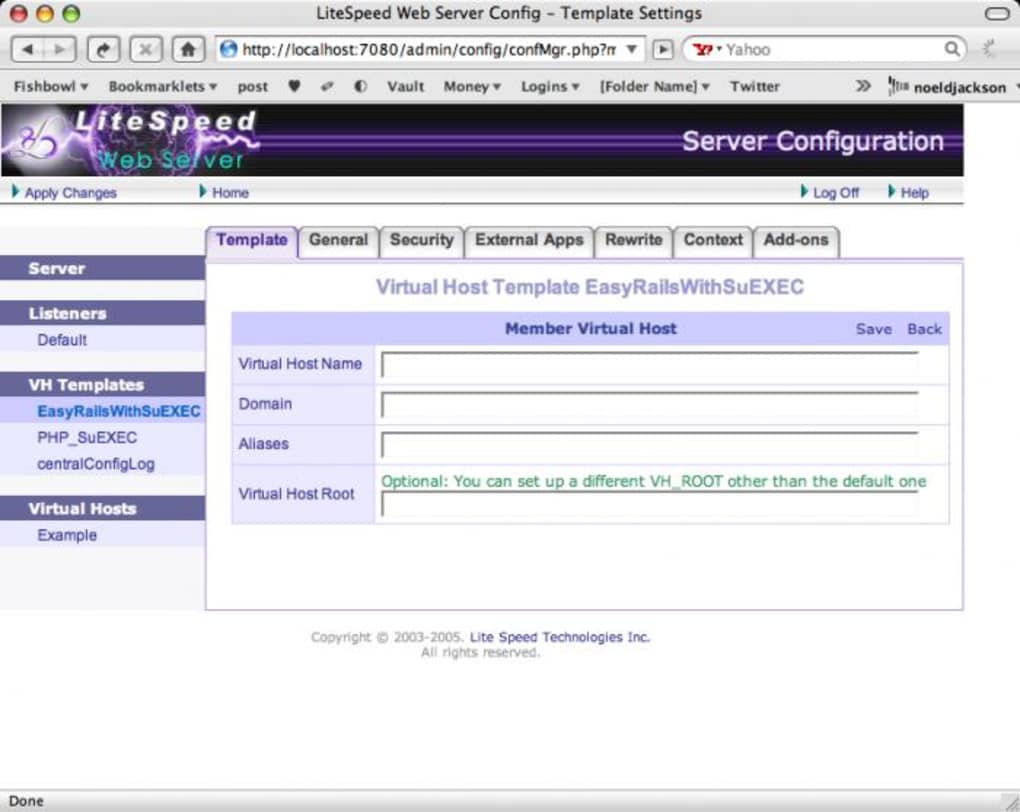
After installation, you can manage LiteSpeed through its intuitive web‑based admin console (default URL: https://your‑domain.com:7080). The console provides real‑time stats, security settings, and easy access to the built‑in cache configuration. For users running control panels like cPanel or Plesk, dedicated plugins automate most of the steps above, allowing a one‑click enable/disable toggle directly from the panel UI.
Compatibility, Pros and Cons
LiteSpeed Web Server runs on most modern Linux distributions (CentOS, Ubuntu, Debian, Rocky Linux) and also offers a Windows version for environments that still rely on IIS‑compatible stacks. Its binary is compiled for x86_64 architecture, and the installer detects the underlying OS to apply the correct library dependencies. Because LiteSpeed mimics Apache’s configuration layout, you can reuse existing httpd.conf, vhosts, and .htaccess files without modification, making migration painless. The server also integrates with popular hosting control panels—cPanel, WHM, ISPConfig, and Plesk—through dedicated hooks that automatically translate LiteSpeed settings into the panel’s UI. This deep compatibility ensures that shared‑hosting providers can roll out LiteSpeed across thousands of accounts with minimal disruption.
Pros
- Significant performance boost for PHP and static content.
- Drop‑in Apache compatibility eliminates configuration rewrites.
- Robust security features (DoS protection, IP throttling, chroot).
- Built‑in LSCache reduces latency and server load.
- Easy integration with major control panels.
- Regular automatic updates for OpenSSL and PHP.
Cons
- Enterprise edition requires a paid license for full feature set.
- Learning curve for advanced cache tuning can be steep for beginners.
- Limited native support for Windows compared to Linux.
- Some third‑party modules built for Apache may need adaptation.
- Initial installation still requires command‑line access.
FAQ and Conclusion
Is LiteSpeed Web Server truly a drop‑in replacement for Apache?
Yes. LiteSpeed reads Apache’s httpd.conf and .htaccess files directly, so you can switch binaries without rewriting configuration. All standard directives are supported, and the server automatically translates them into its own internal format.
Do I need a separate license for the caching features?
The basic LSCache is included in the free “OpenLiteSpeed” edition, but the Enterprise edition unlocks advanced caching rules, real‑time statistics, and priority support. For most small‑to‑medium sites, the free version is sufficient.
Can LiteSpeed run on a Windows server?
A Windows binary exists, but it is less feature‑rich than the Linux version. Most production deployments choose Linux for optimal performance and compatibility with control panels.
How does LiteSpeed handle SSL/TLS certificates?
You can import existing PEM‑encoded certificates via the admin console or place them manually in /usr/local/lsws/conf/. LiteSpeed supports TLS 1.3, OCSP stapling, and automatic HTTPS redirection.
Is there a way to monitor LiteSpeed performance in real time?
The built‑in admin dashboard provides live metrics for connections, request rates, cache hits, and CPU usage. Additionally, you can enable SNMP or export data to external monitoring tools like Grafana.
In summary, LiteSpeed Web Server delivers a compelling blend of speed, security, and Apache familiarity that makes it an attractive upgrade for anyone experiencing traffic bottlenecks. Its robust feature set—ranging from advanced caching to built‑in DoS protection—covers the needs of both small blogs and high‑traffic e‑commerce platforms. While the Enterprise edition does carry a licensing cost, the free OpenLiteSpeed version already offers enough power to outperform a vanilla Apache install in most scenarios. If you’re ready to eliminate performance headaches and secure your web presence with a modern, actively maintained server, download LiteSpeed Web Server today and experience the difference for yourself.







